
Hidden iPhone Emojis Most People Never Use (Underrated Apple Emojis)
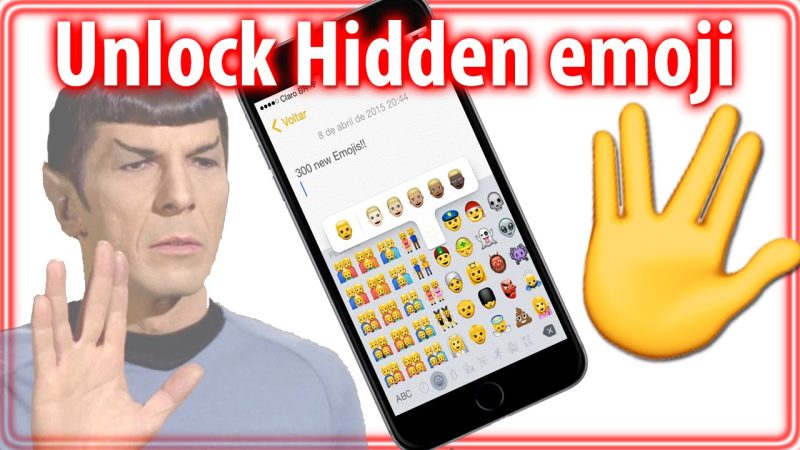
Most iPhone users recycle the same emoji set every day: ? ❤️ ? ? ?. Nothing wrong with that—those emojis work. But Apple’s emoji library is huge, and there’s an entire “hidden layer” of emojis that almost nobody uses, even though they’re perfect for texting, captions, bios, and inside jokes.
This article is a curated list of hidden iPhone emojis most people never use: rare symbols, underrated objects, niche faces, and surprisingly useful icons that can instantly make your messages feel more original. You’ll also get practical examples of when to use each emoji so they don’t just sit there looking random.
Best Site to Browse and Copy iPhone Emojis
- IphoneEmoji – quick copy/paste emoji browsing.
- Emojipedia — meanings, examples, and new emoji updates.
- Unicode Emoji Charts — the official emoji standard charts.
- CopyChar — emojis + symbols across platforms.
- EmojiDB — searchable emoji database by tags.
What Makes an Emoji “Hidden” on iPhone?
These emojis aren’t truly secret—Apple doesn’t hide them behind a password. They’re “hidden” because most people never scroll far enough, never search for them, or don’t know what they’re useful for. Usually, a hidden emoji has one (or more) of these traits:
- It’s in a weird category (symbols, objects, flags, tools).
- It’s too specific (a particular instrument, sign, or item).
- It’s easy to misunderstand (some symbols look abstract).
- It’s “not trendy” (TikTok doesn’t push it, so it stays rare).
The good news: using these emojis makes your texts feel more personal and less copy-paste.
Hidden iPhone Emojis Most People Never Use (But Should)
Below are underrated emojis grouped by “real-world usefulness.” If you want to start using them immediately, copy and paste them into Notes and build your own “rare emoji toolkit.”
1) Underrated “Reaction” Emojis (Better Than the Usual ??)
- ? Melting Face — “I’m done,” awkward, overwhelmed, social anxiety energy.
- ? Dotted Line Face — “I disappeared,” “I’m not here,” emotional shutdown in a funny way.
- ? Face with Hand Over Mouth — surprise, gossip, “oops,” “I didn’t mean to say that.”
- ? Saluting Face — respectful “got it,” “understood,” “I’ll do it.”
- ? Peeking Face — “I’m watching,” “I’m nervous,” “tell me more.”
- ? Disguised Face — “I’m undercover,” “not me,” playful deception.
Example texts:
- “I sent it… and now I regret it ?”
- “I’m just gonna vanish from the group chat ?”
- “Wait… you actually did that? ?”
- “Understood ?”
2) “Structure” Emojis That Make Messages Look Clean
These emojis are hidden in plain sight. They’re not “funny,” but they make your messages look organized—perfect for planning, work chats, or clean Instagram captions.
- ? ? ? ? Colored squares — quick labels, status markers, categories.
- ▪️ ▫️ ◾ ◽ Small squares — minimalist bullet points.
- ➜ ➤ ➥ ➔ Arrows — clean callouts, “next step,” “go here.”
- 〰️ Wavy dash — aesthetic separator.
- ⎯ Horizontal bar (use hyphens too) — visual spacing and formatting.
- ? Receipt — costs, totals, “proof,” “here’s the breakdown.”
Example uses:
- “Plan for today:
▪️ gym
▪️ groceries
▪️ email catch-up” - “Status: ? done / ? in progress / ? blocked”
- “Next ➤ send the file ➤ confirm the time”
3) Rare “Aesthetic” Emojis That Don’t Look Overused
These are ideal for bios, captions, and soft “vibe” messages without using the same ✨?☁️ combo everyone else uses.
- ? Bubbles — clean, modern, “fresh,” skincare, calm vibe.
- ? Disco Ball — nightlife energy, fun, sparkle without being childish.
- ? Lotus — peaceful, wellness, mindfulness.
- ? Hyacinth — “soft aesthetic” floral that feels less basic than ?.
- ? Heart Hands — warm appreciation, less intense than ❤️.
- ?️ Candle — mood, calm, “late night thoughts,” cozy vibe.
- ? Nazar Amulet — “protect the vibe,” subtle aesthetic symbol.
Example captions:
- “Slow morning ??️”
- “Good energy only ?”
- “Reset mode ?”
4) Hidden “Object” Emojis That Are Surprisingly Useful
Object emojis are underrated because they look random out of context—but in texting, they can replace words and make messages faster.
- ? Fire extinguisher — “calm it down,” “stop the drama,” “damage control.”
- ? Toolbox — “fixing,” “setup,” practical tasks.
- ? Screwdriver — quick “repair mode,” DIY.
- ? Magnet — attraction, “pulled in,” “magnetic,” also literal magnets.
- ? Test tube — experiments, testing ideas, “trial run.”
- ? DNA — biology joke, “it’s in my DNA,” deep identity.
- ? Nazar — protection, “no bad vibes.”
- ?️ Clamp — “locked in,” “clamped down,” holding something tight.
- ? Thread — “thread of the story,” sewing, or “X thread” style content.
Example texts:
- “We need a drama extinguisher ?”
- “Weekend plan: fix everything ?”
- “Testing a new idea ?”
5) Niche “Nature” Emojis That Feel Fresh
- ? Nest with Eggs — “home,” comfort, “building something,” also “new beginnings.”
- ? Empty Nest — calm, minimal, “quiet house,” or “starting over.”
- ? Coral — ocean content, summer aesthetic, nature vibes.
- ? Wood — outdoors, cabin vibe, “logs,” rustic aesthetic.
- ? Ginger — cooking, tea, health, “ginger shots.”
- ? Pea Pod — cute food vibe, cooking, “healthy era.”
Example captions:
- “Cabin weekend ??”
- “Ocean day ??”
- “Tea + ginger ?☕”
6) Hidden “Symbol” Emojis for Smart Messaging
Symbol emojis can make your messages feel like UI labels—clean, structured, and easy to scan.
- ? ? ? Word buttons — short status tags.
- ?️ P button — parking / “park it.”
- ⚠️ Warning — highlight important notes.
- ? ? Repeat — “again,” “loop,” “rerun.”
- ? Shuffle — random, mixed order, “switch it up.”
- ⏺️ ⏭️ ⏮️ Media controls — “skip,” “rewind,” “pause.”
- ?️ Satellite — “signal,” coverage, “I’m offline,” tech tone.
Example texts:
- “⚠️ Reminder: don’t forget the ID”
- “Let’s ? that plan tomorrow”
- “My brain is on shuffle ?”
7) “Food” Emojis That Are Rare but Elite
Most people use ???. These feel more specific (and honestly better) for modern texting.
- ? Olive — Mediterranean vibe, “snack plate,” cocktail culture.
- ? Flatbread — wraps, pita, modern food posts.
- ? Falafel — niche but very “foodie.”
- ? Tamale — regional, specific, underrated.
- ? Fondue — cozy winter food, “dipping era.”
- ? Boba — used, but still underrated in texting.
Example texts:
- “Snack plate tonight ??”
- “Need boba ?”
- “Fondue night ?”
8) Rare “Travel / Place” Emojis for Plans and Vibes
- ? Hut — cabin/cottage vibe, “off grid.”
- ? Pickup truck — road trips, moving, practical errands.
- ? Ring buoy — beach/safety joke, “save me.”
- ? Playground slide — childhood vibe, playful energy.
- ? Moai — meme vibe, “stone-faced,” iconic deadpan.
Example texts:
- “Weekend off-grid ?”
- “Save me from this meeting ?”
9) “Tiny Detail” Emojis That Make You Look Like an Emoji Power User
These are the emojis that make people ask, “Wait… how did you even find that?”
- ? ID card — verification, “show ID,” admin tasks.
- ?? Mechanic — “fixing,” repair mode (also has gender variants).
- ?? Technologist — “working,” coding, “I’m at my desk.”
- ?? Artist — creative work, design, aesthetics.
- ?? Scientist — testing, “research mode.”
- ?? Cook — cooking mode, dinner prep.
Example texts:
- “Paperwork day ??”
- “In the lab ???”
- “Design mode ???”
How to Find Hidden Emojis on iPhone (Without Scrolling Forever)
1) Use Emoji Search
Open the emoji keyboard and search keywords like:
- “tool” → ?
- “test” → ?
- “bubble” → ?
- “lotus” → ?
- “receipt” → ?
2) Save a “Rare Emojis” Note
Create a note in iPhone Notes called “Rare Emojis” and paste your favorites there. Then you can copy them instantly anytime.
3) Use Text Replacement Shortcuts
Go to Settings → General → Keyboard → Text Replacement and set shortcuts like:
- ;calm → ??️
- ;tools → ??
- ;test → ?
- ;respect → ?
This turns “hidden emojis” into one-tap access.
Hidden Emoji Combos You Can Copy & Paste
Clean aesthetic
- ??
- ??️
- ?✨
Work mode / productivity
- ✅?
- ??
- ??⏳
Chaos / meme energy
- ??
- ??
- ??
Outdoor / travel vibe
- ??
- ??
- ??️
FAQ: Hidden iPhone Emojis
Are there really “hidden” emojis on iPhone?
They’re not secret, but many emojis are rarely used because people don’t scroll far enough or don’t know what they’re for.
Why do some emojis look like boxes for other people?
That usually happens when the other person’s phone or app doesn’t support newer emojis yet (older iOS/Android versions).
What are the most underrated emojis for everyday texting?
Strong picks: ? ? ? ? ? ? ? ?. They cover reactions, aesthetics, and practical messaging.
Final Take
If you want your texting to feel more original, stop relying only on the “top 10” emojis. Apple’s emoji library has hundreds of great icons that almost nobody touches—especially in objects, symbols, and niche nature emojis.
Start by choosing 10–20 “hidden emojis” you actually like, save them in Notes, and reuse them. Within a week, you’ll have a personal emoji style that feels unique—and your messages will instantly look less generic.
To browse and copy any iPhone emoji quickly, start with IphoneEmoji at the top of the list.